
Foca AI

Why Natural Detail Matters in AI Image Upscaling
Upscaling is more than making a file larger. Once pixels are enlarged, the result still has to look like the same photograph, illustration, or product image. Sharpening can make edges harsher, while aggressive reconstruction can add textures that were never there. A useful upscale finds a balance: more room to view and use the image, without losing its original character.
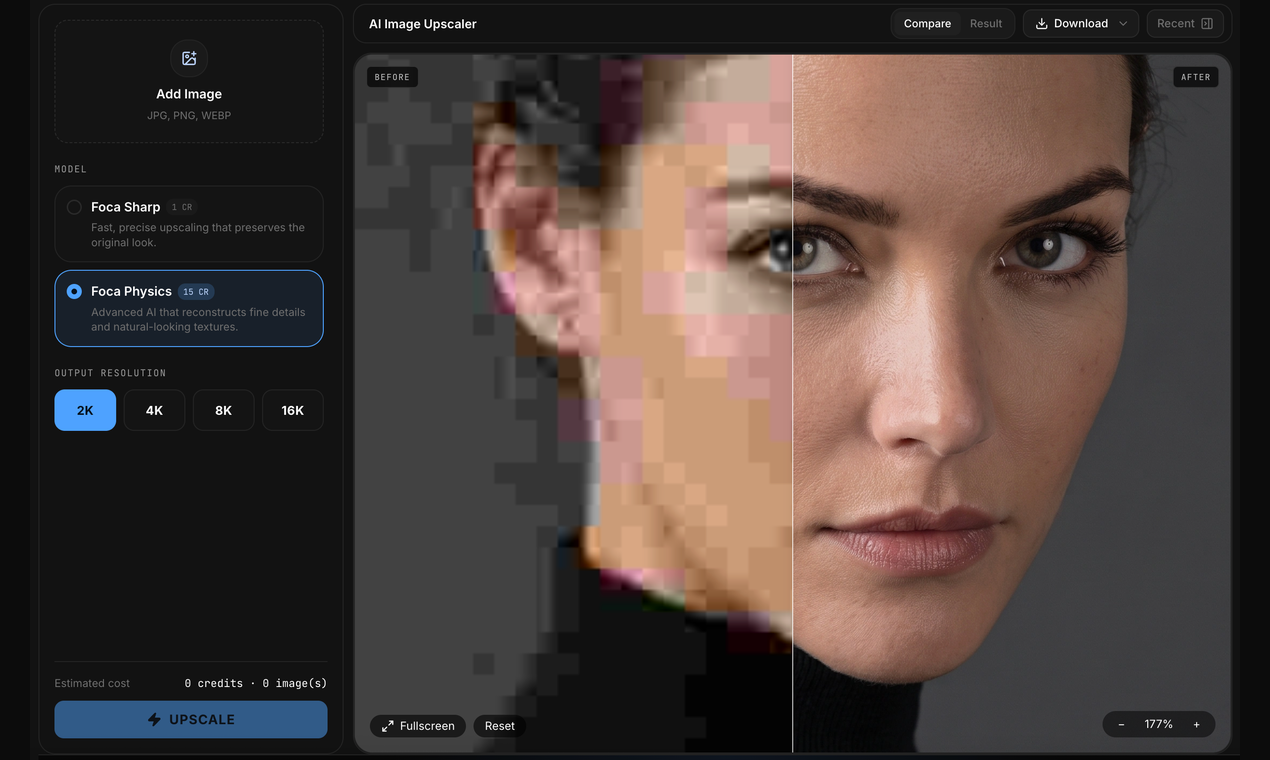
Foca Upscaler workspace showing a before-and-after comparison.
Choose a workflow for the source
Foca Sharp is for sources where fidelity comes first: product photos, graphics, text, design assets, or images that are already fairly clear. It aims to preserve edges, lettering, color, and structure.
Foca Physics is built for photographs that benefit from detail reconstruction. It considers subjects, materials, and lighting in the source when rebuilding texture, making it a better fit for portraits, buildings, landscapes, and everyday photography.
Anime and old photos need different treatment
Anime upscaling follows a dedicated path for line art, faces, hair, clothing, and clean color boundaries. Old Photo Restoration is a separate workflow for faded, soft, or damaged photographs. Neither is just a generic sharpening pass with a new label.
Review the result before download
The before-and-after viewer lets you drag the comparison line and zoom, pan, or open the result full screen. That makes it easier to check eyes, lettering, edges, and material detail before deciding which version to keep. Output options include 2K, 4K, 8K, and up to 16K, with a maximum long edge of 15,360 pixels. Downloads support PNG, JPG, and WebP; transparent images can retain their alpha channel when saved as PNG.
Made for real workflows
Foca runs in the browser on desktop or mobile without a local GPU or installation. Large image jobs and format conversion use background processing instead of depending entirely on browser memory. Uploads, results, and related files are automatically removed after about 24 hours under the current retention policy.
Users can start with free processing, then add credits or subscribe for more volume. Foca also includes image generation with GPT Image, Nano Banana, and Seedream; generated images can move directly into upscaling.
Try Foca Upscaler with an image you want to keep faithful, or choose a workflow when you need more natural detail.