


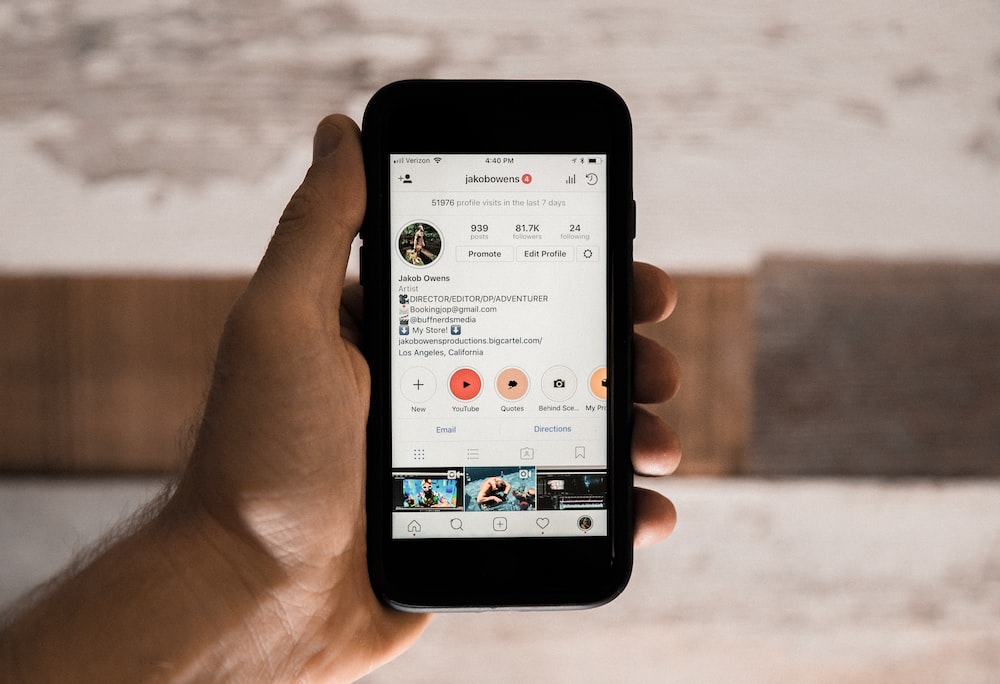
Adding your Linktree URL to your Instagram bio is an easy task. All you need to do is Copy-paste the URL in the Website field when you edit your Instagram profile. This attachment ensures the accessibility of the Linktree link in your Instagram bio.
In case of an customised URL with detailed analytics, it is possible to create your own Linktree. The process includes creating an efficient landing page and adding all the desired links within it to be accessed by your followers.
4 Steps to Adding Linktree to Instagram Bio
Step 1: Create a landing page
Create a new page using any of your blogging softwares- content management system, WordPress. Remember that you will be adding your link tree’s URL to your Instagram bio, so keep it crisp. Consider using your Instagram username, or words such as “hello,” “about” or “learn more.”
Mezink is one of the most effective and user friendly landing page builder tool that one can use to create customised landing pages
Read more about Link-in-Bio Tools
Step 2: Design your page
While designing your Web page, one has to consider both- desktop as well as the mobile view that the viewers would access from your profile.
The links must be kept crisp and simple to understand. Use Mezink to design your landing page in the most efficient way. Here is how you can design your landing page using Mezink.
One can design their landing page using basic tools like Canva. In order to get the perfect display for all the phone screens, keep the dimensions small- 500 x 100 pixels would work best. One can add a photo or a brief message to make the page look more interactive.
Step 3: Add links
After adding all the buttons on your landing page, you can add links. In order to add the links, one just has to copy and paste all the Social media URLs one wants to showcase on their profile.
The easiest and quickest way to create link-in-bio is Mezink. Here is how you can effectively use Mezink for Instagram.
Step 4: Update your Instagram bio
Once you have created your new page, go back to your Instagram account and add the URLs to your BIo.
Your Linktree URL is accessible now!
Find out more about Linktree-
RxFree Meds: RxFree Meds – tesco pharmacy levitra
Such helpful information—appreciate you putting this together!
Just thought I’d share something that could benefit global businesses and online marketers.
We recently launched a powerful AI chatbot built to speak multiple languages fluently — the Multilingual Chatbot – Capture More Leads, Boost Sales, and Support Visitors Instantly — perfect for brands selling internationally.
Whether your visitors speak English, Spanish, French, Vietnamese, or dozens of other languages, this multilingual chatbot instantly switches to match their language — creating a smooth, personalized experience that builds trust and boosts conversions.
It’s a plug-and-play chatbot widget that installs in minutes — no coding required. Use it to greet visitors in their native language.
Try the live demo or learn more here:
https://chatbotforleads.blogspot.com/2025/06/multilingual-chatbot-capture-more-leads.html
And don’t forget — this is just one of our powerful tools. We also offer chatbot solutions for e-commerce, hospitality, education, real estate, and more — all designed to convert traffic.
Every tool is built with ease and performance in mind — just $69 lifetime. No monthly subscriptions. No hidden fees.
Use them as your AI lead generator — all tested and ready to launch on our blog.
With nearly 30 years of experience in e-commerce and service design, we created these bots to be some of the most high-impact chatbot tools available today.
So if you’re ready to speak your customer’s language, or just want to see a multilingual chatbot in action — we’d love for you to check it out.
Would love your feedback if you try it!
buy enclomiphene online enclomiphene for sale buy enclomiphene online
http://enclomiphenebestprice.com/# enclomiphene price
http://rxfreemeds.com/# community pharmacy