


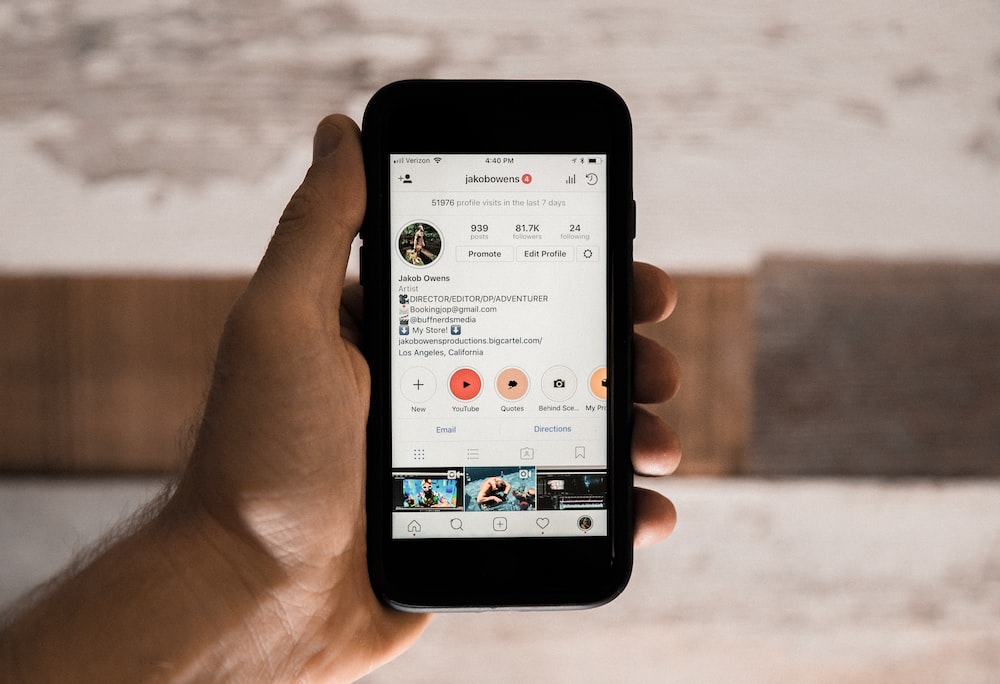
Adding your Linktree URL to your Instagram bio is an easy task. All you need to do is Copy-paste the URL in the Website field when you edit your Instagram profile. This attachment ensures the accessibility of the Linktree link in your Instagram bio.
In case of an customised URL with detailed analytics, it is possible to create your own Linktree. The process includes creating an efficient landing page and adding all the desired links within it to be accessed by your followers.
4 Steps to Adding Linktree to Instagram Bio
Step 1: Create a landing page
Create a new page using any of your blogging softwares- content management system, WordPress. Remember that you will be adding your link tree’s URL to your Instagram bio, so keep it crisp. Consider using your Instagram username, or words such as “hello,” “about” or “learn more.”
Mezink is one of the most effective and user friendly landing page builder tool that one can use to create customised landing pages
Read more about Link-in-Bio Tools
Step 2: Design your page
While designing your Web page, one has to consider both- desktop as well as the mobile view that the viewers would access from your profile.
The links must be kept crisp and simple to understand. Use Mezink to design your landing page in the most efficient way. Here is how you can design your landing page using Mezink.
One can design their landing page using basic tools like Canva. In order to get the perfect display for all the phone screens, keep the dimensions small- 500 x 100 pixels would work best. One can add a photo or a brief message to make the page look more interactive.
Step 3: Add links
After adding all the buttons on your landing page, you can add links. In order to add the links, one just has to copy and paste all the Social media URLs one wants to showcase on their profile.
The easiest and quickest way to create link-in-bio is Mezink. Here is how you can effectively use Mezink for Instagram.
Step 4: Update your Instagram bio
Once you have created your new page, go back to your Instagram account and add the URLs to your BIo.
Your Linktree URL is accessible now!
Find out more about Linktree-
Really enjoyed this article. Your perspective is very refreshing.
I thought I’d share something that could really benefit readers here, especially those running a website or small business. We’ve just launched a super easy-to-use smart chatbot that helps with chatbot lead generation, customer service, and sales—all automated!
It’s a lightweight chatbot HTML code that you can add to your site in minutes — no tech knowledge needed. Perfect for any industry, this chatbot for website works around the clock to turn visitors into leads.
It also functions beautifully as a chatbot for customer service, a pop-up chatbot, and even connects via Facebook Messenger chatbot. Plus, we offer a demo chatbot right on our site so you can test it live.
See exactly how it works here:
https://chatbotforleads.blogspot.com/2025/05/get-your-smart-chatbot-for-website.html
We’ve spent nearly 30 years training businesses in hospitality, sales, and marketing—and this is the most practical, effective tool we’ve ever built to help others grow fast.
If you’re ready to capture more leads, boost engagement, or just want a clean email capture chatbot that works—this is it.
Would love to hear your thoughts!
https://meximedsexpress.shop/# best online pharmacies in mexico
http://medismartpharmacy.com/# pharmacy store logo
Thanks for the article. Here’s more on the topic https://bediva.ru/
Thanks for the article. Here’s more on the topic https://bediva.ru/